
Smart Replenishment with 
Reorder bestsellers in good time.
If a product is sold out at a retailer, shoppers buy elsewhere. Every day, Chainbalance analyses retailers’ sales data and spots when an item is running low. Smart Replenishment then triggers the reorder with the brand automatically. Bestsellers stay available in specialist retail, and less stock is left unsold. Smart Replenishment is free of charge for retailers.
Smart Replenishment in numbers
+15%
more sales with bestsellers
-30%
overstock
-80%
manual effort for reorders
40+
international brands use Chainbalance
Results in practice
Less effort, more sell-out.
Brands that replenish with Chainbalance report measurable results.
2,000+ points of sale
+17% sales in the pilot country
“The biggest advantage is that we can trust this automated replenishment process in detail. And the reduction in manual effort.”
Triumph International

1,800 points of sale
+6% sales in three months, 60% less effort
“Re-order is the new pre-order. Our retailers now prefer lower pre-orders and require more support during the season.”
TIMEZONE

400 points of sale
+9% sales, -13% overstock
“The automation of dynamic target stocks has reduced our average stock levels while simultaneously increasing turnover.”
Kunert

What Smart Replenishment does
The right quantity in store at the right time.
Forecast
Know when an item is running low.
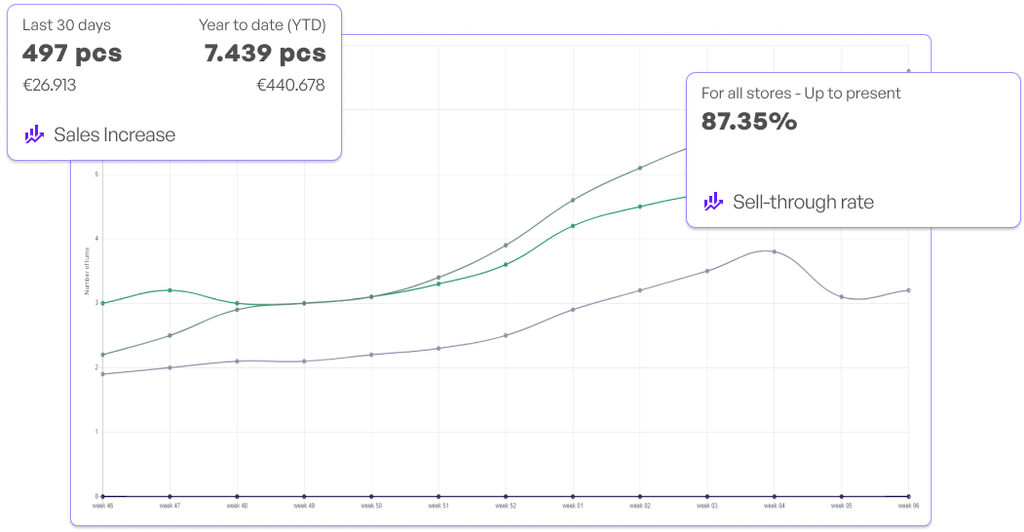
For every item, Chainbalance records how it has sold in recent weeks and its sell-through rate. From this, it forecasts when the item will run low. The reorder is adjusted before it sells out.
Order suggestions
One click to reorder.
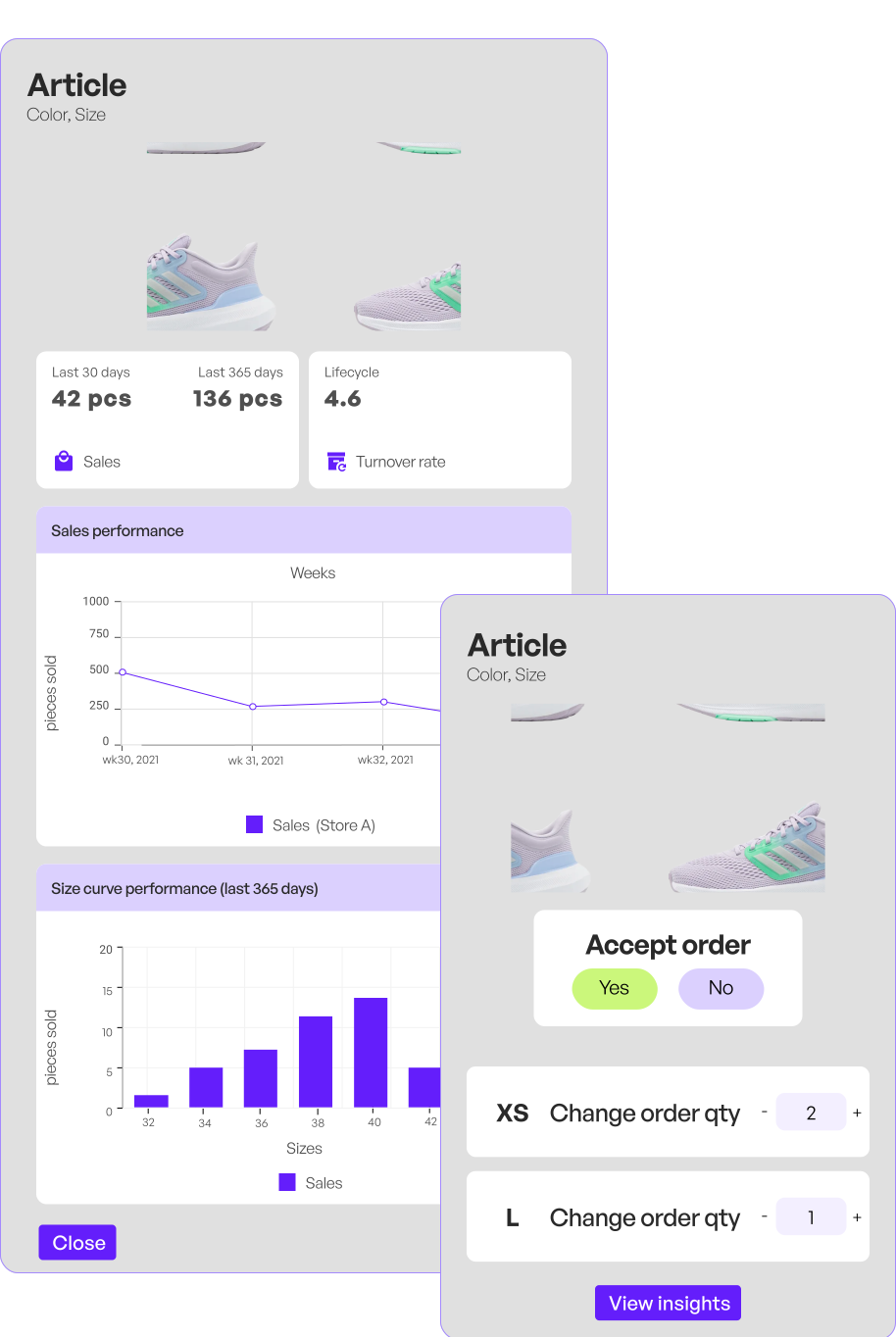
Retailers receive order suggestions with all the figures for the item: sales, stock cover and sell-out by size. They review the suggestion and accept it with one click – or decline it.
Availability
Less overstock, more availability.
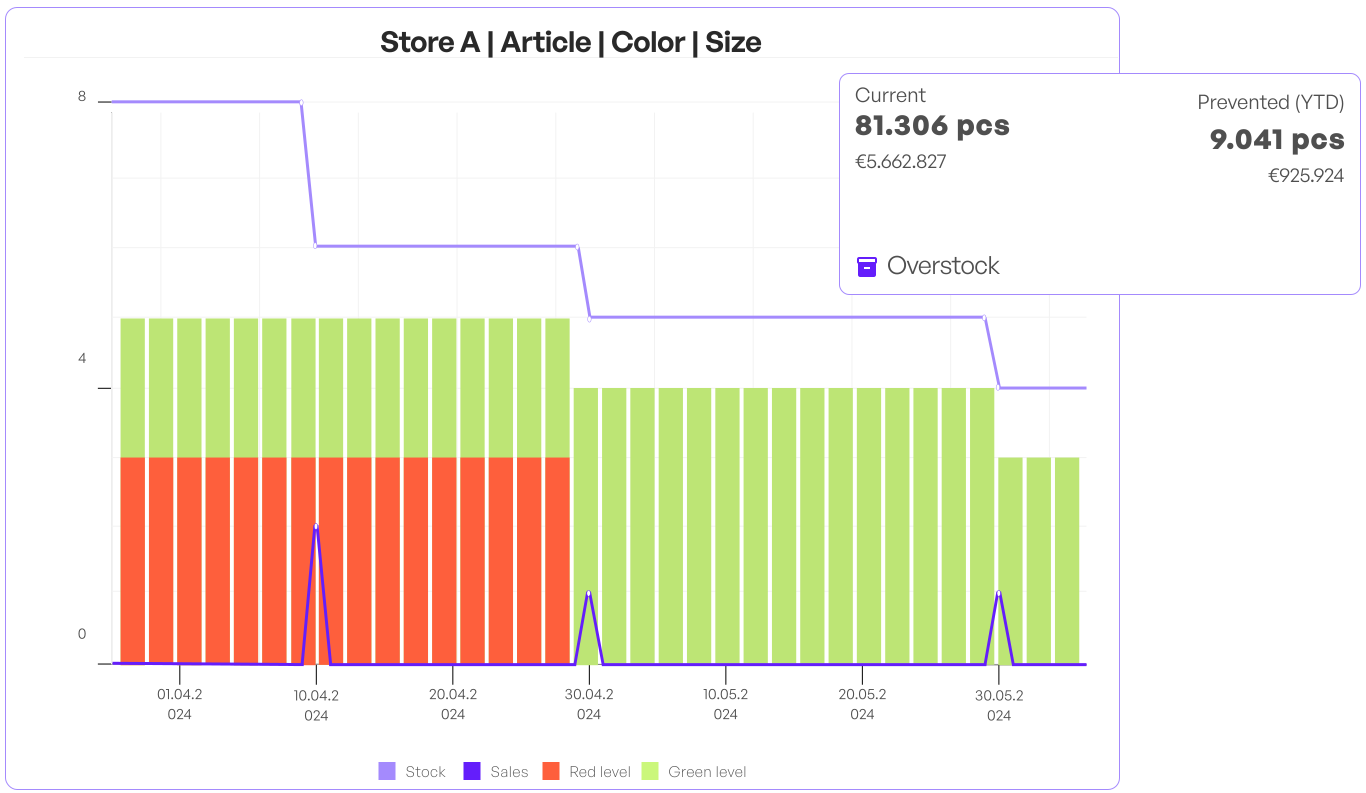
Instead of fixed quantities per size, the target quantity follows expected sell-out. What rarely sells is not restocked. That leaves room for what is in demand.
Where-To-Buy and Smart Replenishment
Visible and available.
Where-To-Buy shows shoppers on the brand website which retailer has a product available. Smart Replenishment makes sure it stays available there. Together, they close the gap between search and purchase: shoppers find the product online and get it in store. The Lost Sales add-on shows how much revenue is in that gap.
- VisibleWhere-To-Buy shows on brand websites where a product is available
- AvailableSmart Replenishment keeps it in stock there
- Sell-outSearch online, find the product in store – fewer lost sales
- InterfaceSales data and availability flow once, for both solutions
- Free of chargeBoth solutions are free of charge for retailers
For brands and retailers
One solution, two perspectives.
For brands
Benefits for brands
- Give your retailers ready-made order suggestions – by item, size and point of sale.
- Manage reorders during the season, not just through pre-orders.
- Plan production quantities with real sell-out data.
- See how every product performs at every point of sale.
For retailers
Benefits for retailers
- Receive reorder suggestions by email and decide for yourself.
- Keep your bestsellers in stock in the sizes people want – without time spent in the B2B portal.
- Tie up less money in stock that doesn’t sell.
- Use Smart Replenishment free of charge.
Guided onboarding
Four steps to automatic reorders.
No change of system: your ERP, POS system and processes stay as they are. Chainbalance connects via your existing data.
Step 1
Connect data
Sales data arrives daily, availability once a week – via SFTP, API or web service.
Step 2
Forecast
Chainbalance cleans the data and calculates the sales potential per item and point of sale.
Step 3
Reorder
The reorder goes to the retailer as a suggestion or straight into the ERP system. Retailer and brand stay in control.
Step 4
Live
After around 30 days, Smart Replenishment is part of everyday operations.